Tech Basics
A web browser is a software application that lets you find, open, and view websites on the internet. When you type an address or search for something, the browser fetches the web page from a server and displays it on your screen as text, images, and video. Common examples include Google Chrome, Safari, Microsoft Edge, and Mozilla Firefox. A browser acts as the doorway between you and the internet, turning the code behind a website into the pages you actually see and use. You are almost certainly reading this article in a web browser right now. It works on phones, tablets, laptops, and desktops, and it is one of the most-used pieces of software in the world. In short, a web browser is the program you use to access and view websites, making the internet usable for everyone. Without it, the web would just be raw code that no ordinary person could read or use.
Want a website that works perfectly in every browser? Book a free consultation today.
The Fundamentals
What Is a Web Browser in Simple Terms?
In simple terms, a web browser is the app you open to go on the internet and visit websites. It takes a website's address, finds the site, and shows it to you in a way that is easy to read and use. Think of it as a translator: websites are written in code, and the browser turns that code into the pages, buttons, and images you see.
Every device you use to go online, whether a phone, tablet, or computer, has at least one browser. It is the single tool that connects you to almost everything on the web. Everything you do online, from reading news to shopping, happens inside a browser. Turning website code into readable pages is what a browser does at its core.
The Mechanics
How Does a Web Browser Work?
A browser works through a few quick steps that happen in the blink of an eye. When you enter a web address, the browser sends a request across the internet to the server where the website is stored. The server sends back the website's files, and the browser reads them and displays the page.
Finding the website: When you type an address, the browser looks up where that website lives on the internet, then requests its files from that server. This is like looking up an address before visiting.
Displaying the page: The browser receives the site's code, written in languages like HTML, CSS, and JavaScript, and turns it into the page you see. It arranges the text, loads the images, and makes buttons work, usually in under a second.
Fetching a site and turning it into a usable page is how a browser works.
The Options
What Are the Most Popular Web Browsers?
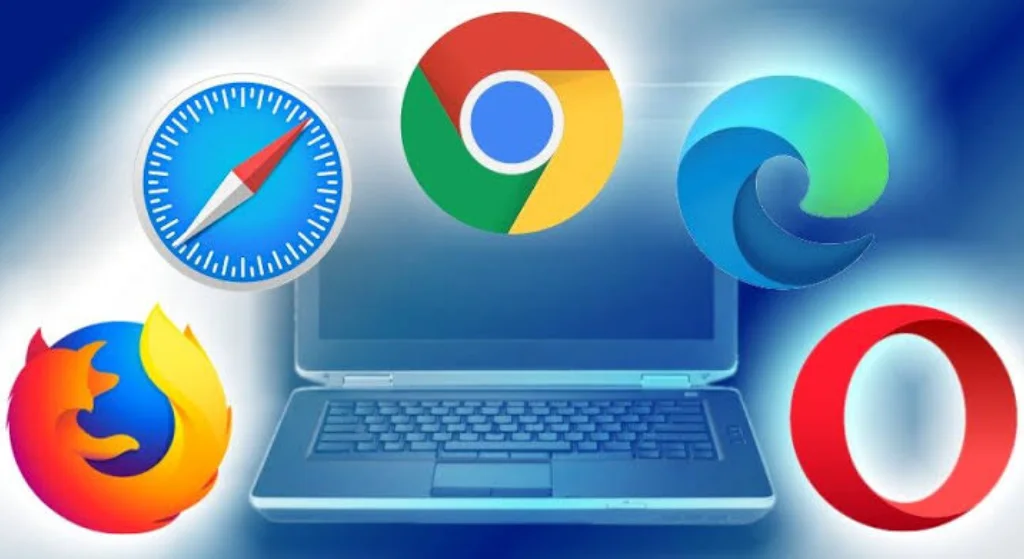
Several web browsers are widely used around the world, and most do the same core job with their own features. Knowing the main ones helps you understand your choices.
• Google Chrome, the most widely used browser globally
• Safari, the default browser on Apple devices
• Microsoft Edge, built into Windows computers
• Mozilla Firefox, known for privacy and being open-source
• Opera and others, offering their own extra features
Each browser has strengths, whether speed, privacy, or built-in tools, but all let you access the same websites. Having several browsers to choose from is what lets people pick the one that suits them.
The Building Blocks
What Are the Main Features of a Web Browser?
Modern browsers do much more than just show web pages, and a few features are worth knowing. Understanding them helps you use a browser more effectively.
Tabs, which let you open many pages at once in one window.
A search bar for typing addresses or searching the web.
Bookmarks to save websites you want to return to.
History, which keeps a record of pages you have visited.
Extensions or add-ons that add extra tools and features.
Privacy modes that let you browse without saving history.
These features make browsing faster, safer, and more convenient. Knowing what a browser can do is what helps you get the most from it.
The Distinction
What Is the Difference Between a Web Browser and a Search Engine?
Many people mix up web browsers and search engines, but they are not the same thing. A web browser is the app you use to view websites, while a search engine is a website you use to find other websites. Google, for example, is a search engine, and you visit it through a browser like Chrome or Safari.
Put simply, the browser is the tool, and the search engine is one of the things you use the tool for. You open your browser, go to a search engine, type what you are looking for, and the search engine gives you links to visit. Understanding that the browser is the app and the search engine is a service is what clears up this common confusion.
Staying Safe
Are Web Browsers Safe to Use?
Web browsers are generally safe, but a few habits keep you safer online. Modern browsers include built-in protections that warn you about dangerous websites and block many threats automatically. Keeping your browser updated is one of the simplest ways to stay protected, since updates fix security gaps.
It also helps to look for a padlock symbol and https in the address bar, which show a site uses a secure connection. Being careful about which extensions you install and which links you click matters too, since not all are trustworthy. Using an up-to-date browser and staying alert is what keeps everyday browsing safe.
The Decision
How Do You Choose the Right Web Browser?
With several browsers available, the best one depends on what matters most to you. If speed and a simple experience are your priority, a mainstream browser like Chrome or Edge works well. If privacy is your main concern, browsers that limit tracking may suit you better. If you use Apple devices, Safari is designed to work smoothly across them.
The good news is that switching browsers is easy and free, so you can try a few and keep the one you like. Most also let you bring across your bookmarks and settings. Picking the browser that fits your needs is what makes the web feel effortless.
Why It Matters
Why Do Web Browsers Matter for Websites?
Browsers matter to anyone with a website, because the browser is where visitors actually experience it. A website has to look and work correctly across many different browsers and devices, or some visitors will have a poor experience. A page that looks perfect in one browser can break in another if it is not built properly.
This is why good web development includes testing a site across browsers, so it works for everyone. A business whose website loads slowly or looks broken in a common browser risks losing customers who simply leave. Making sure a website works well in every browser is what keeps it accessible to all visitors.
Working With Daiyra
How Daiyra Builds Websites That Work Everywhere
Because visitors use many different browsers, a website has to be built and tested to work across all of them, and that is part of what we do. As a web development company, Daiyra builds websites that load correctly and look their best in every major browser and on every device. With 12+ years of experience and over 500 projects delivered across the UAE and GCC, our team makes cross-browser compatibility a standard part of every build.
This means your website gives every visitor a smooth experience, whichever browser they use. A website that works everywhere is what makes sure no customer is turned away by a broken page.
Frequently Asked Questions
A web browser is the app you use to open and view websites on the internet, such as Chrome, Safari, or Edge. It finds a website, reads its code, and displays it as the readable pages, images, and buttons you see.
A browser is the app you use to view websites; a search engine is a website that helps you find other websites. You open a browser like Chrome, then visit a search engine like Google to search the web.
The most widely used are Google Chrome, Safari (on Apple devices), Microsoft Edge (on Windows), and Mozilla Firefox. They all let you visit the same websites, with differences in speed, privacy, and built-in features.
Yes. All the major web browsers are completely free to download and use. You can also install more than one and switch between them, bringing your bookmarks and settings across easily.
Browsers can display code slightly differently, so a site not built and tested for cross-browser compatibility may look off in some. Proper web development tests across browsers so a site works well for every visitor.